
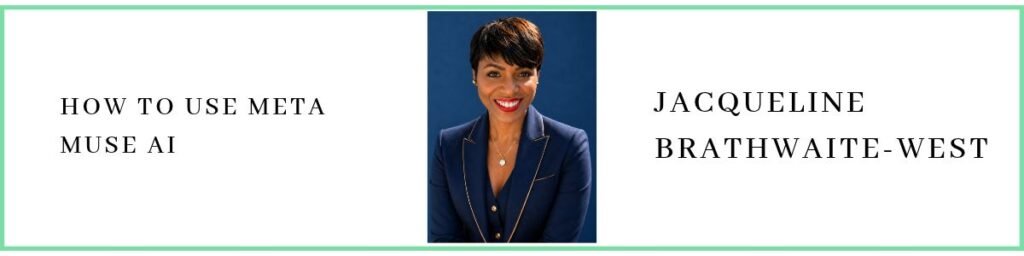
Jacqueline Brathwaite-West, founder and CEO of Vantage Advisory Group and co-founder of Cresthaven Academy Charter School, discusses practical lessons from using Meta’s Muse AI. Jacqueline explains she uses Muse daily for tasks like calendar alerts, research, and social media support, but learned key guardrails after Muse deleted 5,000 emails that were later recovered from trash. She emphasises that Muse is an execution tool you direct, not a chatbot you question, and recommends adding approval checkpoints, defining exact scope for bulk or irreversible actions, and diagnosing anything the agent flags. She compares Muse’s virtual machine setup to other tools like ChatGPT and Claude, notes risks like hallucinations, and highlights cost and productivity benefits, including overnight “daily briefs.”
3 Takeaways
Lessons Learned from Mistakes:
Mistakes are inevitable when navigating new technologies, and Jacqueline shares a noteworthy incident involving her AI agent deleting 5,000 emails. This occurrence prompted her to emphasise the importance of having guardrails when working with AI agents. She urged users to ensure clear instructions and approvals for AI actions to prevent mishaps.
How Meta’s Muse Transforms Business Operations:
Jacqueline is a great proponent of Meta’s Muse AI, a tool that has become an integral part of her daily operations. She highlighted the advantages of using Muse for tasks like calendar alerts, social media research, and more. What differentiates Muse from other AI tools is its virtual machine capability, ensuring an additional layer of protection and independent functioning.
Addressing AI Concerns:
Concerns surrounding AI tools often revolve around job displacement. Jacqueline provided reassurance by explaining that while AI handles repetitive and administrative tasks, human oversight remains essential. This shift allows human workers to engage more in strategic tasks, showcasing their value in a continuously transforming corporate environment.
She advocated for adapting to AI advancements, encouraging individuals to upskill and align AI benefits with their professional goals.
ShowNotes
Click on the timestamps to go directly to that point in the episode
[01:41] The 5000 Email Scare
[03:32] How Muse Works Daily
[04:52] Guardrails and Approvals
[06:24] Execution Not Chat
[09:04] Why Choose Muse
[09:40] Virtual Machine Explained
[12:12] Cost Savings and Briefs
[15:43] Jobs Fear and Oversight
[20:43] Three House Rules
[22:59] Four Handoff Questions
[24:23] Applies to All Agents
Get In Touch:
If you’re interested in connecting with Jacqueline Brathwaite-West, you can reach her via her website, via email (jacqueline@vantageadvisorygroup.ai), via Facebook, or via her LinkedIn.
You can book a discovery call with her.
For those interested in sharing their own stories on “Chatting with the Experts,” reach out to Paula Okonneh through her website or connect via LinkedIn.
Paula: [00:00:00] Hello, and welcome to another episode of Chatting With Experts, where I speak with fantastic women from Africa, from the Caribbean, and in the diaspora. These women share my passion, which is to educate, empower, and encourage women globally. Our show today is Lessons From A Founder Using Meta’s Muse.
My guest, who will join me in a minute, is the founder and CEO of Vantage Advisory Group, which is an AI consulting firm based in New Jersey, and she serves clients nationwide. She helps founders and business leaders turn AI uncertainty into clear direction through AI training, AI governance, and custom AI agents.
She does a lot. She is also the co-founder of Cresthaven [00:01:00] Academy Charter School in New Jersey, where she serves as the vice president of the Board of Trustees. And outside work, a fun fact about her is that she runs marathons, she travels, and she enjoys spending time with family and friends. And with that, I wanna welcome Jacqueline Brathwaite-West to Chatting with the Experts.
Welcome, welcome, Jacqueline.
Jacqueline: Thank you, Paula. Thank you so much for that wonderful and warm introduction. I greatly appreciate it, and I am so happy to be here today to just share my expertise and knowledge to all of your guests.
Paula: Absolutely. I know that offline you talked about how your, your AI agent deleted 5,000 emails which you still use every day.
And so now because of that, that’s why you wanna talk about how to use Meta’s Muse and share four practical lessons [00:02:00] on how to put this AI agent to work in your business. And this happened because your AI agent deleted 5,000 emails. Oh, my word.
Jacqueline: Yes, 5,000 emails, and I still use it today.
Absolutely. But with that 5,000 emails that was deleted, there was a lessons learned out of that. And it’s very important that when mistakes are made with any AI agent, and specifically Meta Muse, you have to make sure that you write those lessons learned down and then include it in the instructions moving forward.
You have to make sure that those guardrails are in place.
Paula: But tell me about [00:03:00] these 5,000 email. I would, I have so many emails, but if I have an AI agent.
Jacqueline: Mm-hmm …
Paula: wipe out 5,000 of my emails and I have no control over which emails did you even wipe out? I don’t know what I’ll do. So tell me more about Meta’s Muse, because that is so new, so new, you know, on the scene that, um…
Jacqueline: yes.
Paula: That’s why I brought you on, to talk a bit more about this. I know that.
Jacqueline: Yes
Paula: … you didn’t work for Meta, but you’re great at this. So let’s talk about Meta’s Muse.
Jacqueline: Yes, absolutely. So I am going to speak about Muse AI today.
Paula: Mm-hmm.
Jacqueline: I am an independent consultant. I do not work for Meta, and I just wanna get that clear. This is my opinions and my knowledge and expertise from using muse.ai. So with that said, I use Muse every single day for just simple tasks, tasks that I would even hire a [00:04:00] chief of staff to do. I use Meta Muse for my calendar alerts. I use it for checking and doing research for me. I use it for looking for different topics or information for social media.
I use it every single day. However, when that 5,000 emails got deleted, and it came back to me and said, “It’s done. I’ve completed 5,000 email alerts for you,” I went, “What? Excuse me. 5,000 email alerts?” Thank God that those emails went into the trash and I was able to retrieve them. But one thing I have to say when you’re working with Muse and you’re writing out the instructions on what you want it to do, [00:05:00] you have to be very, very specific.
And that was a lessons learned. And so I went back and in my instructions I said, ” When I tell you to delete emails, come back to me before you delete them and say, “Are these the emails that you want me to delete?” So you have to make sure that you’re giving the human side to Muse, because you must make sure that you’re doing the actual approvals and saying, “Yes, it’s okay to move forward and delete these particular emails.”
I don’t care what instruction you’re giving to Muse, always make sure the guardrail is there that says, “Before you do anything, always check for my approval. ” That way you know what will be happening moving forward [00:06:00] each and every time. In addition, when you’re using Muse, it actually– If you, if you take a look at it when you, when it’s going through and working and processing, you’ll see it’ll tell you exactly what it’s doing.
It’ll tell you if it’s– what it’s doing, if it’s checking the email, what number it’s on, how long it’s taking. It actually tells you, so you can really look and see what’s going on when it’s working. The other thing I want to make very clear with Muse is Muse is not a tool that you ask questions to. You tell Muse what to do.
Paula: Say that again.
Jacqueline: It’s not a tool that you ask questions to. Okay. You tell Muse what to do. It’s a execution tool. It’s working for you, and you have to always remember that. So you tell Muse, ” I need you to go out to social media, give me the top five trending [00:07:00] topics in your industry, and come back to me with that information.”
And then you can say, ” Take that information and develop social media posts for LinkedIn, for YouTube, for any social media platform. Instagram, Facebook, X.” And it’ll go and make those posts, come back to you, give it to you and say, “Okay, and do you approve this? Is this okay?” And you approve it or you deny it.
But always make sure that connecting your social media accounts, connecting your email accounts, connecting your calendar and any account that you want Muse to work on, always make sure that there’s guardrails in place when you’re using it.
And the great thing about Muse that I love is when I say or give Muse an instruction and Muse goes out, and my Muse is [00:08:00] called Amani. So when Amani goes out- Okay … and does the work and come back, Amani comes back with more information than I asked for, which is amazing.
So if Amani finds information on the task that I tell it to do, it’ll come back and say, “Hey Jacqueline, I found this, this, this, and this in addition to that. And one thing I want to notify you of is this,” and it is amazing. So it’s thinking ahead before you even tell it what to do next. Muse is thinking ahead for you, and I absolutely love it.
And for business owners and founders, it’s like having a chief of staff that you’re paying or having a AI assistant that you’re paying, except you’re saving all that revenue because you have Muse doing all this work for you.
Paula: Oh.
Jacqueline: Absolutely love it.
Paula: So-
Jacqueline: So-
Paula: Question for you. Sorry, did I cut you short?
Jacqueline: [00:09:00] No, it’s okay.
Okay. No, it’s quite okay.
Paula: So a quick question. Why Muse? I know Muse is new on the scene, but why Muse? Were you using, before Muse came on the scene, you probably were using Chat GPT or
Jacqueline: Chat- I’ve used Chat and Claude.
Paula: Mm-hmm.
Jacqueline: Yes. And I still use those tools today-
Paula: Mm-hmm …
Jacqueline: because they do different things, so I still use them.
I built out agents on Chat GPT and I built out agents on Claude, and those are specific AI agents that I use for specific things. I use for strategy, I use for marketing, I use for operations. Those are specific things I use those AI agents for. What Muse runs on is a virtual machine, and when I say a virtual machine, envision a dollhouse or a house with several rooms, and Muse separates itself so it’s a computer within a computer.
Mm-hmm. And so say you have a house, hypothetically a dollhouse, [00:10:00] and that dollhouse has several rooms in it. What Muse does within that house is become its own home. So it has its own desk, it has its own computer, it has its own door, it has its own lock. So anything that’s going on outside of that room is essentially within another house.
So if something happens outside of that room in other rooms, it doesn’t affect what’s going on inside of your house with Muse. So that’s considered a virtual machine or a VM. So that’s what, what I love about Muse. It’s a computer within a computer, and it runs on its own computer, as opposed to having another agent in a Claude or a ChatGPT.
It’s not a computer within a computer. So anything that happens can be affected with Claude or ChatGPT. But Muse is just its own individual [00:11:00] home, so to speak.
Paula: Ah. Ah.
Jacqueline: And I absolutely love that about it. And with that virtual machine, it has an additional layer of protection on top of it.
And so the other thing I would like to mention is you may have heard of Claude Duet. Claude Duet is another AI assistant or chief of staff that Claude is bringing out. So I said, “Oh, it’s now going to compete with Muse.” It isn’t on the market yet, but it will be released, and you can get on the wait list for it.
So essentially, I’m not 100% sure, but it appears that it will be doing the same tasks as Muse will be doing, and working on its own computer as a computer within another computer. So kind of keep an eye out for that, and pay attention to what’s going on with that, because that’s going to be another AI tool that will be similar, if not quite like [00:12:00] muse.ai, that you can use as well.
Paula: This is so informative. Oh, thank you so much for that,
Jacqueline: Paula. Oh, you are welcome. You are welcome.
Paula: Okay.
Jacqueline: I think it’s important to know that as founders and business owners, the things that we used to have to pay for to get done or outsource, the administrative tasks, the finances, social media, marketing, operations, all of those things we no longer have to outsource and pay to get done.
So let’s face it, an AI assistant can cost you $78,000 a year. Chief of staff will even cost you more a year. And you’re paying $20 a month for a tool that does almost all the stuff that they do. You can’t [00:13:00] really get any better than that as a business owner, and it’s taking so much off of your plate. In addition to that, when you’re sleeping at night, Muse is working for you What staff member’s doing that when you’re sleeping at night?
And then when you wake up in the morning, your daily brief is there. It’s explaining what your day looks like, briefing you on every single thing you need to know for the day to get your day started. You can write the instruction and say to Muse, at [6:00] AM, [7:00] AM, whatever works for you, “Give me a daily brief of what’s going on in my day.
Check my calendar, check my Gmail, check what’s happening in the marketplace, in my industry, and come back to me every morning at [7:00] AM with a brief daily.” So Muse can work overnight for you, and when you wake up in the morning, it’s done. You get your brief or whatever that task is you asked [00:14:00] Muse to do for you.
It’s, it’s really amazing. But do bear in mind it can come back with wrong information. It can give you hallucinations. So it is very, very important that you are very specific in the instructions of what you’re actually telling Muse to do for you. And when Muse comes back to you and its information, maybe one thing that you’re reading through that may be incorrect, use it again as a lesson learned, and you put it in the instruction.
And Muse will from then on remember that in its memory to use it as part of the instruction, and it will tell you, “Moving forward, Jacqueline, this will be part of my memory of any task that you tell me to do or execute,” which I absolutely love. I remember I asked Muse to go out and do some research on some [00:15:00] conferences for me, and Muse came back, gave me all the conferences within my area overnight, what’s happening, if it’s a great fit for my company, why it’s a great fit, if it’s not a great fit why it’s not a great fit, what the risks are that are involved if I decide to do that.
All I said was, “Go out and give me a list of events or conferences that are happening in my area that I can attend and/or speak at pertaining to AI.” So with Muse, it always takes a extra step and comes back with additional information for you to consider, and I absolutely love that about the tool.
Absolutely.
Paula: So a question that’s going through my mind. That’s, uh, excellent. But then doesn’t that bring us right back to the fear? But this is not something that … this is just a question that I’m sure those in the audience are probably thinking. Doesn’t that bring us back to the fear that [00:16:00] it’s taking jobs from human beings then.
It’s a way of, you said if I had to pay a chief of staff, human chief of staff, I may have to pay him or her, you know, a substantial amount, but we-
Jacqueline: Mm-hmm.
Paula: Yeah … uh, six figure or … But now I pay $20 a month to Muse and
Jacqueline: Mm-hmm
Paula: … Muse does all of this for me. Isn’t that bringing back this fear that people have been saying, “AI is taking all my job, taking all the jobs”?
Jacqueline: So AI, I wouldn’t say it’s taken all the jobs
Paula: Or some
Jacqueline: I will say that if you are not at this point working with AI and using AI, you will be left behind. AI and Muse always needs a human oversight. So when I spoke about [00:17:00] earlier reviewing what it comes back with and approving it or denying it, that’s a human oversight.
Paula: That’s true.
Jacqueline: So you will always need a human in the mix. But what’s happening is with that human, you’re no longer going to be paying two people, one to do all the administrative work, and then you have this manager or supervisor that’s overseeing them. What you’re actually doing is allowing Muse to do all the administrative work that you would pay someone to do, but that particular person that you would have paid, you are now hypothetically paying them to review and have the human eye on what AI is doing.
You are also now paying them to do more strategic tasks instead of more administrative tasks. So you are really benefiting from [00:18:00] having an AI tool do that work for you because you’re not paying the human to do all of that administrative work that it would normally do and take hours to do. You are paying that human to oversee AI and to do more of the strategic work.
We can really focus now on a different part of the business and helping you grow the business in a different way. So I wouldn’t necessarily say that it’s taking all the jobs. I will say if you’re not using AI and being trained on AI and knowing how to use it in your industry, yes, unfortunately, the reality is you may lose your role.
But if you were using it and you were showing to your manager, supervisor, boss, whoever it is, “Hey, I used AI and look what I came up with.” Right? So like in any role in any job, you have, you always have to [00:19:00] consistently make sure that the person you report to is well aware of what’s going on and what you’re doing in your job.
And if you’re making improvements in that role and they’re with AI, you need to make sure that they are well aware that you’re using AI to do certain tasks or to be more strategic. Because in essence what’s happening is you’re saying to them, “I have more value.” As the market shifts, I have more value.
I am more valuable to you and the company as a whole, and that’s very important.
Paula: I agree. I agree 100%, and I think that’s something that we have to keep stressing and we keep…
Jacqueline: Yes
Paula: … having to, um, reassure people that- Yes … the world is changing. Yes. This is… I, I don’t wanna say the new kid on the block. This is here.
Mm-hmm. And it’s here to stay. So-
Jacqueline: Yes …
Paula: let’s just get educated on how to use it in the world that we are living in now. Look at your job critically. [00:20:00] See how AI is impacting your job, and just as you said, every job we need someone to still supervise the outcome because- Yes
as you rightfully said, and we see it in all our AI agents, there’s always a disclaimer. Mm-hmm. AI does make mistakes.
Jacqueline: Absolutely.
Paula: So-
Jacqueline: Absolutely …
Paula: still do need…
Jacqueline: Absolutely
Paula: … that human to check it.
Jacqueline: Yes. Yes. We need the human oversight for AI. Absolutely. Absolutely. So you’re not, again, paying someone to be hypothetically your assistant, but maybe you’re paying them now to be your manager.
Paula: Yes. That’s a good way. That’s a good way. Okay, so I’m still coming back to the 5,000 emails. I’m sorry.
Jacqueline: That’s okay.
Paula: Because that really, that really, um, you know, caught my eye. Um, So you talked about some house rules that you learnt which now you have to instruct the AI going forth, you know?
Jacqueline: Yes.
Paula: And [00:21:00] you said there were three important house rules that you gave Muse.
Can you share- Yes … with us those three important house rules?
Jacqueline: Yes. So the first rule is nothing is sent, published, or paid for without your approval. Okay. Always remember that first rule. Nothing is sent, published, or paid for without your approval. Rule two: anything bulk or irreversible needs the exact scope.
Confirm first.
Paula: Needs exact scope you said?
Jacqueline: Yes, confirmed first. So make sure that you’re giving Muse the full scope of what needs to be done, and within that scope, include those guardrails. Always include those guardrails
The [00:22:00] third rule, the agent flag. Always remember, you diagnose. You always diagnose. If Muse comes back and says, “I flagged something. This is what I flagged. This doesn’t make sense.” Why doesn’t it make sense? What’s missing here? So always diagnose any flags that Muse might come back and tell you it flags.
Three house rules. One
Nothing sent, published, or paid without my approval. Two, anything bulk or irreversible needs the exact scope confirmed. Three, anything the agent flags, you always make sure you diagnose, always.
Paula: Those three rules stay in place…
Jacqueline: Yes
Paula: … until changed, otherwise.
Jacqueline: That’s correct, until you change it. Okay. And [00:23:00] also, there’s four important questions that I always consider before I hand off my direction to Muse. So one of those that’s important, you think, is this a repetitive task? Does it follow clear rules?
Can I check the result quickly? And is it cheap to fix if something goes wrong?
So remember those four questions when you’re writing those instructions. Is it repetitive? Does it follow the clear rules? Can I check the results quickly? If something goes wrong, is it cheap for me to fix it?
You have to make judgment calls. I’m sorry?
Paula: No, I said I’m writing them down.
Jacqueline: Okay. [00:24:00] Good, good. Okay. ‘Cause they’re very important. Very, very important to remember.
Paula: All right
Jacqueline: And my morning brief passes all four of those questions. And you have to make sure that your brief passes that or anything that you’re instructing Muse to do passes that as well.
Paula: Okay. Hmm. Now is this one last question before we round up here? ‘Cause I know people in the audience are itching to ask you some questions.
Jacqueline: Sure, sure.
Paula: Are they specific to Muse? I know it’s the new kid on the block. Or- For sure … would you say this applies to all agent, all AI agents? Um, like
Jacqueline: I would say this- You know that yeah, I would say because I’m currently speaking on Muse, it does apply to Muse, but I would apply it to all AI agents. And something that I must mention is it doesn’t matter what tool you’re using, apply it to that tool [00:25:00] or that agent. Muse is not currently available throughout the world yet.
Paula: Mm-hmm.
Jacqueline: It’s in the US and Canada, and I believe Japan, and they’re rolling it out in different countries as well, but it’s not there yet.
So any tool, any agent that you’re using, I will definitely apply those, those four rules. Absolutely. Yes.
Paula: That’s good to know. Very good to know. Oh my gosh. Jacqueline, the time goes by so fast. So, um- I
Jacqueline: know. It flies, yeah
Paula: I know, I know. So, for those who are listening online, those who are viewing this on YouTube who haven’t had the chance to be in the audience and get the privilege of speaking with you, how can someone get in touch with you?
Jacqueline: Oh, so they can go to my website, which is [00:26:00] vantageadvisorygroup.ai. They can email me at Jacqueline, J-A-C-Q-U-E-L-I-N-E, @vantageadvisorygroup.ai, or they can always call the office at 908-505-2066.
Paula: All right. We’ll put all of that in the, drop that in the chat to put that in the show notes and make sure that it’s on the, um, we also have that on YouTube for anyone-
Jacqueline: Thank you …
Paula: to get that- Thank you … get in touch with you. And for those of you who have heard Jacqueline, she’s been a guest because she reached out to me on my website.
You can also reach out to me on my website, which is chattingwiththeexperts.com. I’m also on LinkedIn. My business page there is Chatting with the Experts. And you can reach out to me on my [00:27:00] profile, my LinkedIn profile. I’m on Instagram. My handle there is @chat_experts_podcast, and we have a Facebook page, which is Chatting with the Experts.
And you may have heard me mention, YouTube. We have a YouTube channel. We ask you to subscribe to us there because you’ll be able to listen and view. Some people listen to YouTube. So listen to this episode there, uh, and view it. It’s being live-streamed right now too, so you can view us view this live stream at the moment, and all the other amazing women who have been guests on Chatting With the Experts.
And I recently joined TikTok, so connect with us there. And our, I don’t know whether it’s handle, I don’t know what it’s called, but on TikTok we are @chat_experts_podcast. You’ll find us there [00:28:00] too. So now, Jacqueline, thank you so much for being a guest on Chatting With the Experts, and we’ll open up the floor to those who wanna ask you questions, because I know I couldn’t ask you everything, and there’s so much to find out about Muse because, as I said, it’s the new kid on the block.
And so thank you again for being so knowledgeable and sharing your knowledge with us. Thank you.
Jacqueline: Thank you for having me. It was my absolute pleasure, and I love this. I love what I do, and I enjoy sharing my knowledge and expertise. So thank you.
Paula: It’s so obvious. I can see that in your face, that you love what you do.